



Join thousands of game developers in our forums and read over 2 million messages
Purchase vouchers for use on future orders or as a gift for others.
toolbar powered by Conduit
Join thousands of game developers in our forums and read over 2 million messages
Purchase vouchers for use on future orders or as a gift for others.
toolbar powered by Conduit

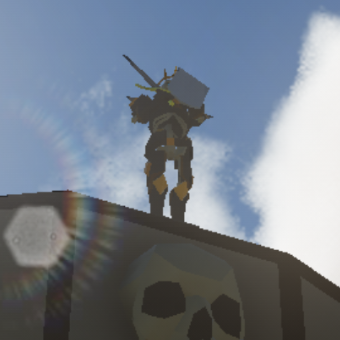
Take control of your objects! With over 70 new commands, Enhanced Animation offers many features that will help bring your 3D models to life. Enhanced Animations is available for DarkBASIC Professional and Dark GDK.
... or better yet, can they run and swing a sword at the same time?
Enhanced Animation gives you the ability to apply multiple animations to your object at the same time!
So, instead of having separate animations for the following scenarios:
Stand, Walk, Run, Jump, Stand and shoot, Walk and shoot, Run and shoot, Jump and shoot, etc...
You can apply the movement animation to your model's lower body while applying a single shoot animation to the model's upper body!
This will significantly reduce the amount of animations that you have to generate!

Less Media = Less Work!
This feature will allow you to smoothly transition from one animation to another. Your object won't instantly go from walking to running. Instead, it will transition from a walk to a run over a period of time that you set. The animations will be blended together nicely!
Since the updating of animations is based on the amount of time that has elapsed, the animation will play at the same speed on all computers. The speed settings of animations are all based on how many animation frames will elapse per second. You can even give a negative "frames-per-second" value to the speed settings to play your animation in reverse!
Animation files are created by extracting the animation data from your 3D object. You can then save a copy of the models that will use that animation data with all of the model's animation data removed. This can all be done in the media preparation stages of creating your game. Inside your game, you can load the models without any animation data in them (which will load very fast). Since the animation data files that were extracted from your object can be applied to any similar 3D object, the data only has to be loaded once! This could really reduce the headaches of long loading times for your players!
You have complete control over the animation data. You can easily add, modify and delete key frames. You can then save the data to a new animation file. If you wanted, you could write your own animation creation program using the commands of this feature.
Find out information about how your object is structured. You can easily find the parent and children of any limbs in your object.
| Enhanced Animations Demo | |||||||||||||||||
| Download: | Enhanced Animations Demo | ||||||||||||||||
| File Size: | 2.83 MB | ||||||||||||||||
|
|||||||||||||||||
| Updated: | 11th Jan 2010 | ||||||||||||||||
| Description: | A demonstration program that shows Enhanced Animation in use. | ||||||||||||||||
| Downloads: | 3494 | ||||||||||||||||
There are currently no special offers containing this product.